A high-performing handyman website should help a homeowner, landlord, property manager, or business answer four questions quickly: do you handle this kind of work, do you serve my location, can I trust your team, and how do I request service? The strongest handyman website design examples turn a broad service list into a clear path from a repair need to a qualified request.
The ten concepts below show how handyman companies can use concise copy, authentic project photography, visual service categories, photo-based requests, realistic scheduling, and local proof to turn service searches into booked jobs. Each layout is intentionally spacious and mobile-friendly so customers can act without reading a dense page.
Handyman website design examples: quick overview
- Clear service and booking hero: State what the company handles, where it works, and the next step in the first screen.
- Visual service selector: Organize repairs by room, task, or property type so customers can find the right path quickly.
- Guided repair request: Collect the task, location, details, and photos without relying on a blank message box.
- Availability experience: Let customers request preferred windows while setting honest confirmation expectations.
- Maintenance plans: Present recurring home or property care as a clear, useful service rather than a complicated membership pitch.
- Property support: Give landlords, property managers, and commercial clients a dedicated path for recurring work.
- Project proof: Use concise before-and-after case studies that connect the problem, work completed, and result.
- Team and trust: Make insurance, reviews, experience, and the people entering the property easy to verify.
- Local relevance: Build service-area pages around real locations, services, and nearby proof.
- Bilingual access: Carry the customer journey through English and Spanish when the operating team supports both languages.
What a high-performing handyman website needs
Handyman searches are often specific and time-sensitive. A visitor may need a door adjusted, drywall repaired, fixtures installed, shelving mounted, or a list of small projects completed before a move. The website should make those jobs easy to identify while helping the business qualify scope, location, access, and timing.
| Website element | What it should accomplish |
|---|---|
| Clearly listed services | Group the work by task, room, or property type and explain important exclusions without overwhelming the homepage. |
| Defined service area | Show the cities and neighborhoods served, travel policies when relevant, and the correct path for local requests. |
| Photo-based request form | Collect useful job context and optional images so the team can route and prepare for the inquiry. |
| Scheduling expectations | Let customers share preferred windows without promising availability before the job has been reviewed. |
| Trust and project proof | Present current reviews, team information, insurance claims, and authentic completed work accurately. |
| Customer follow-through | Connect requests, appointments, estimates, invoices, and updates through a dependable operating process. |
A focused website design strategy connects local search visibility, service clarity, useful proof, and fast follow-up into one customer acquisition system.
1. Lead with a clear service and booking hero
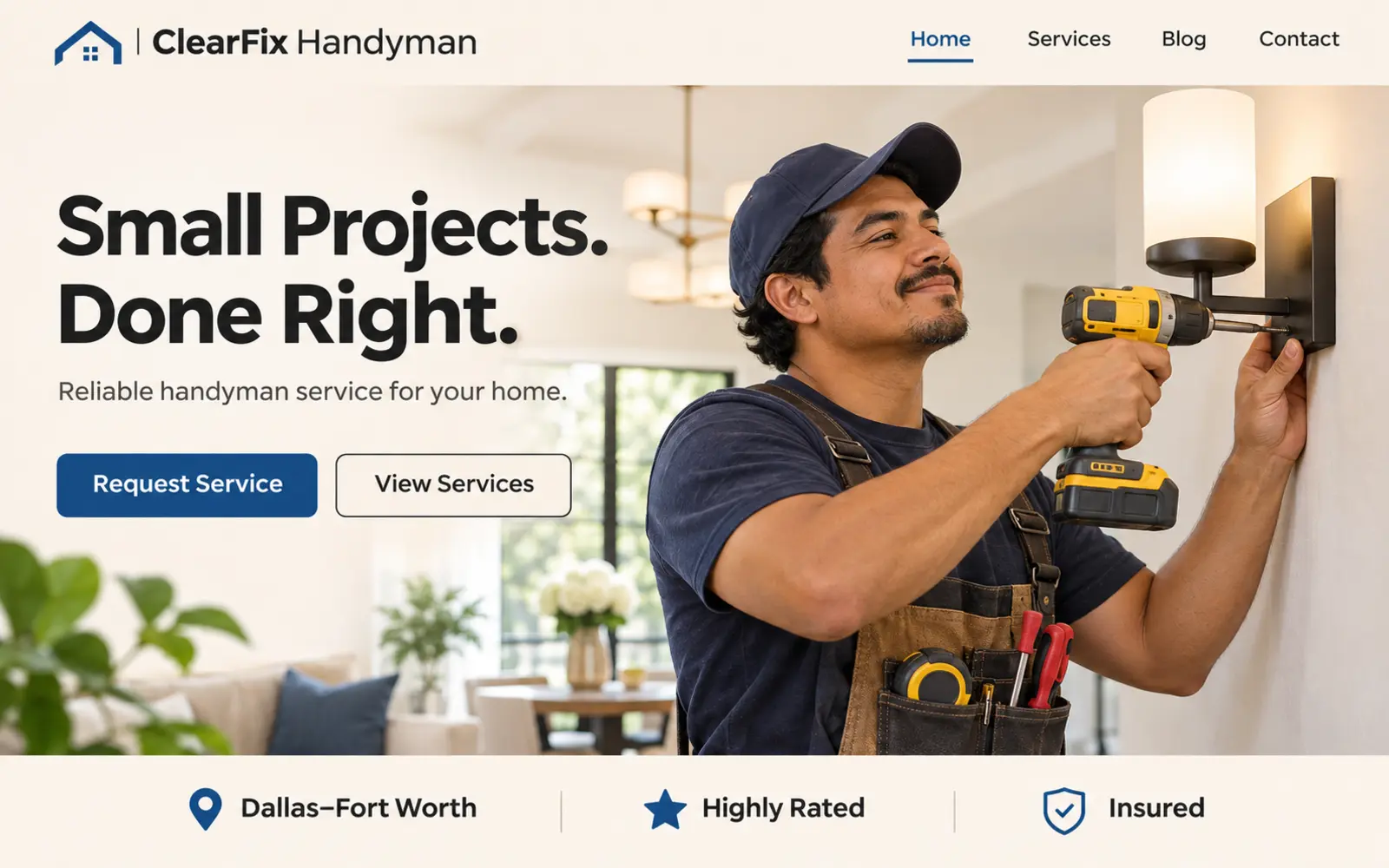
The first screen should immediately explain what the company does and what the customer should do next. This concept uses one strong project image, a concise promise such as “Small projects. Done right.” and two actions: Request Service and View Services. A compact trust row can add the service area, review rating, and properly verified insurance information.
The supporting copy should be specific enough to qualify the visitor without becoming a list of every possible task. A line covering home repairs, installations, punch lists, and light commercial maintenance gives customers useful context, while deeper service pages explain the actual capabilities and limitations.
Keep the hero visually led and easy to scan on a phone. Put the primary request action within thumb reach, make the phone number clickable, and avoid rotating headlines or several competing buttons that make a simple service decision feel difficult.
2. Organize services with a visual selector
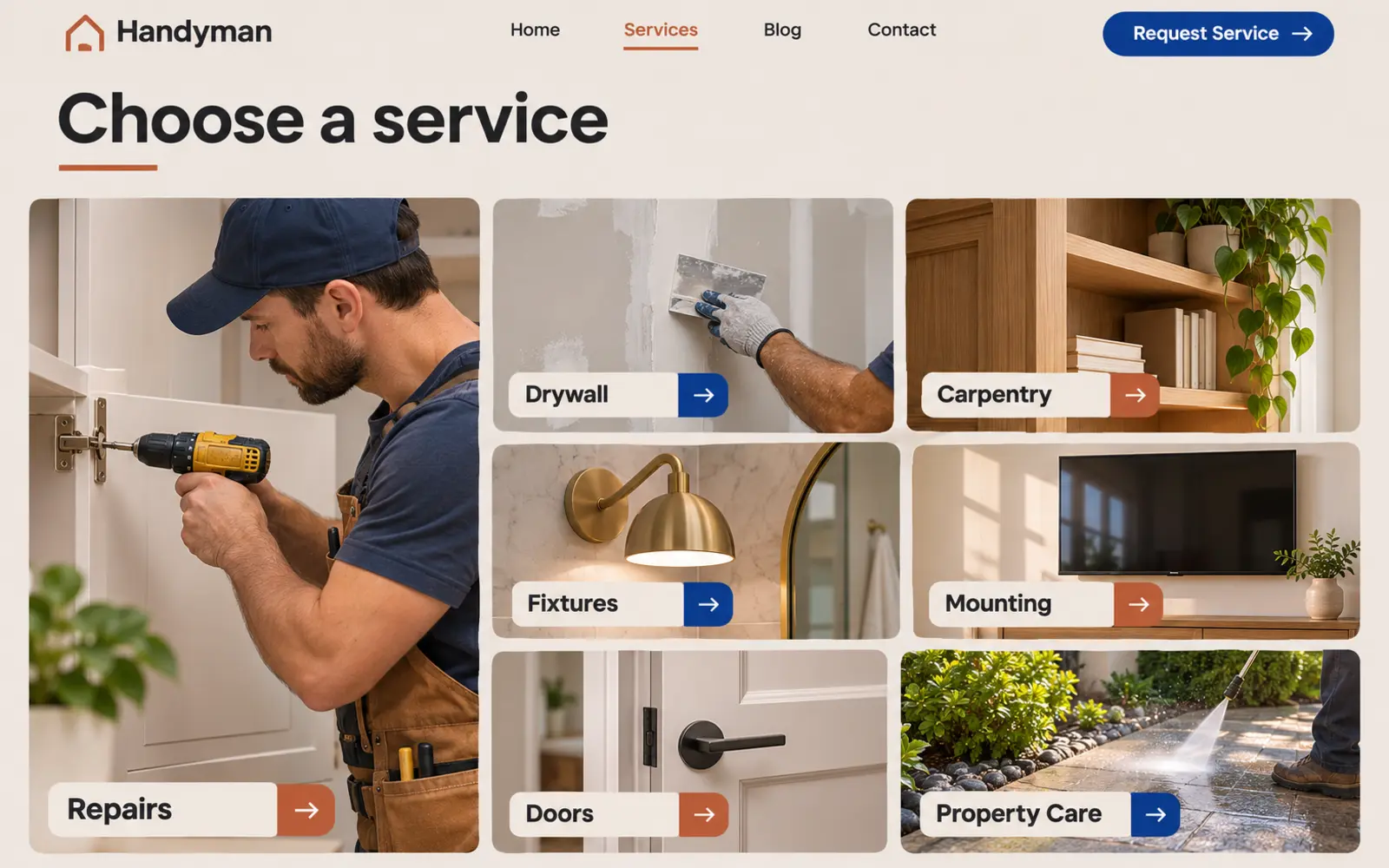
Customers rarely search for “general handyman work.” They search for a task. This concept uses large visual cards for repairs, drywall, carpentry, fixture installation, mounting, doors, and property maintenance. Each card has a clear label, a representative image, and one action that leads to a focused service page.
Room-based categories can also work well. Kitchen, bathroom, living space, exterior, rental turnover, and commercial property paths help visitors recognize their situation before choosing a specific task. Use whichever structure matches how customers describe the work in calls and search queries.
Every category should state what is commonly included, what requires separate evaluation, and how to request service. Avoid implying that licensed electrical, plumbing, HVAC, roofing, structural, or other regulated work is available unless the company is properly qualified to provide it.
3. Build a guided repair request with photo upload
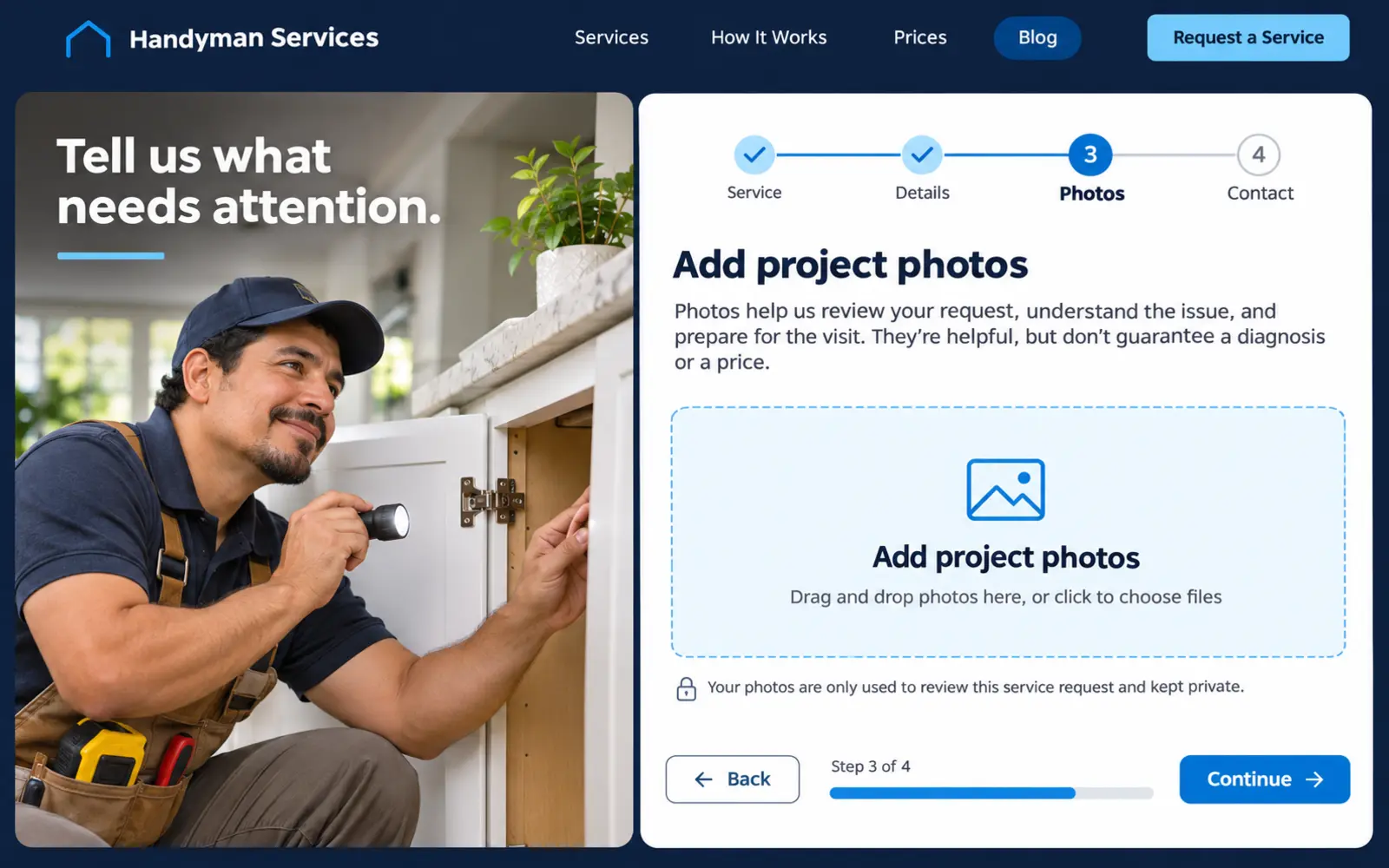
A blank contact form forces the customer to decide what information matters. This concept uses a short sequence: choose the service, describe the task, upload optional photos, add the property address, and provide contact information. A visible progress indicator makes the request feel manageable.
Photo uploads can help the team understand the visible condition and prepare better questions, but they should not be presented as a final diagnosis or guaranteed quote. Ask only for information needed to route the request, and explain how uploaded images will be used and protected.
The confirmation screen should give a realistic next step: the team will review the request, contact the customer with questions, and confirm whether a visit, estimate, or service appointment is appropriate. Reliable routing and prompt follow-up matter as much as the form design.
4. Let customers request availability without unrealistic guarantees
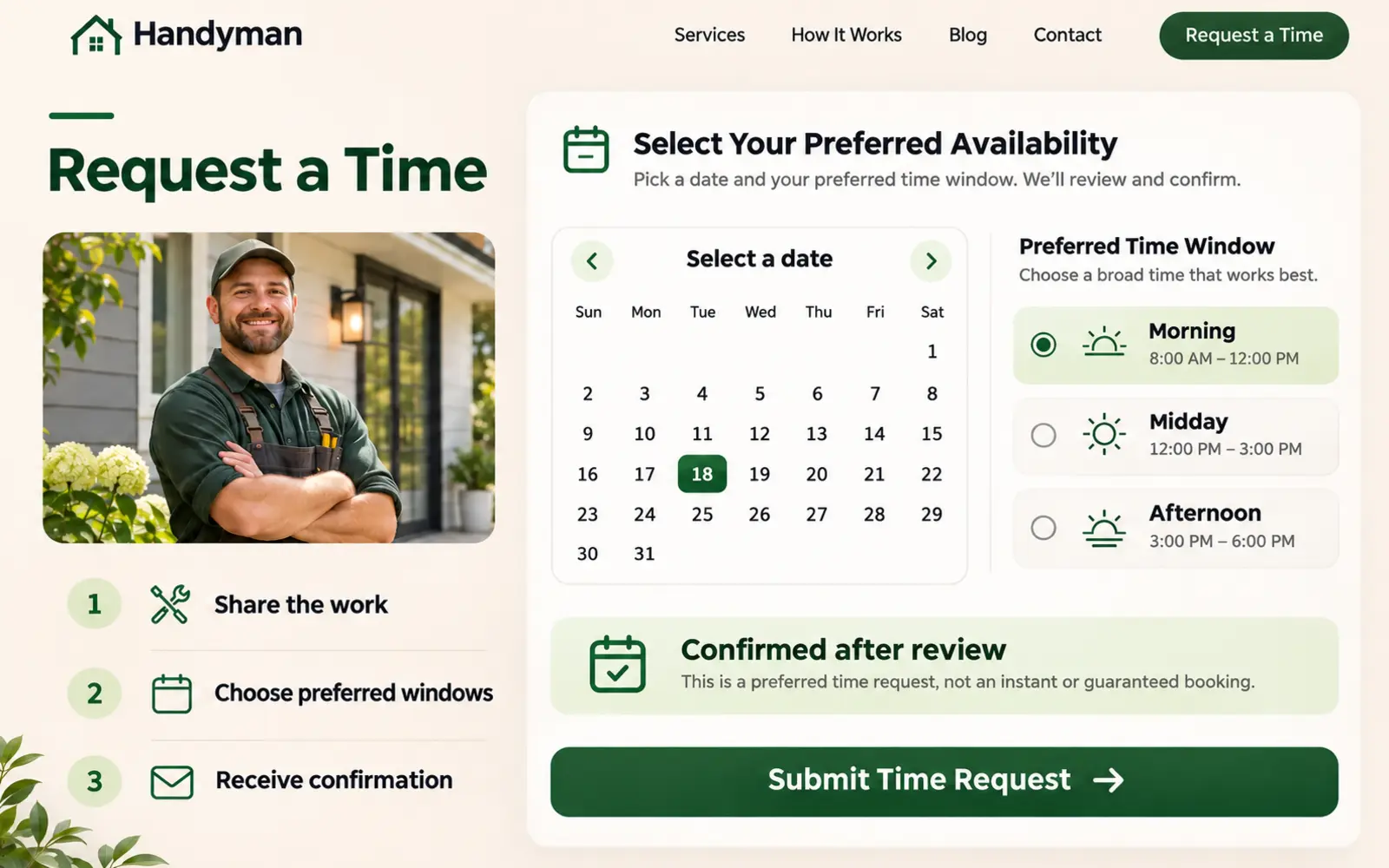
Scheduling tools can reduce friction when they reflect the way the company actually operates. This concept lets the customer choose preferred days and broad arrival windows after sharing the task. The interface says Request a Time and clearly notes that the appointment is confirmed after review.
Some jobs can be scheduled from a clear description, while others need a call, photos, an estimate, or an onsite assessment. Conditional scheduling can route simple tasks differently from multi-item punch lists, commercial maintenance, or work with uncertain access and materials.
Follow-up messages should confirm the address, contact, requested work, approved window, preparation instructions, cancellation policy, and any information still needed. Avoid presenting every open calendar slot as guaranteed capacity when travel, scope, materials, or job duration may change the schedule.
5. Present a recurring home-maintenance plan simply
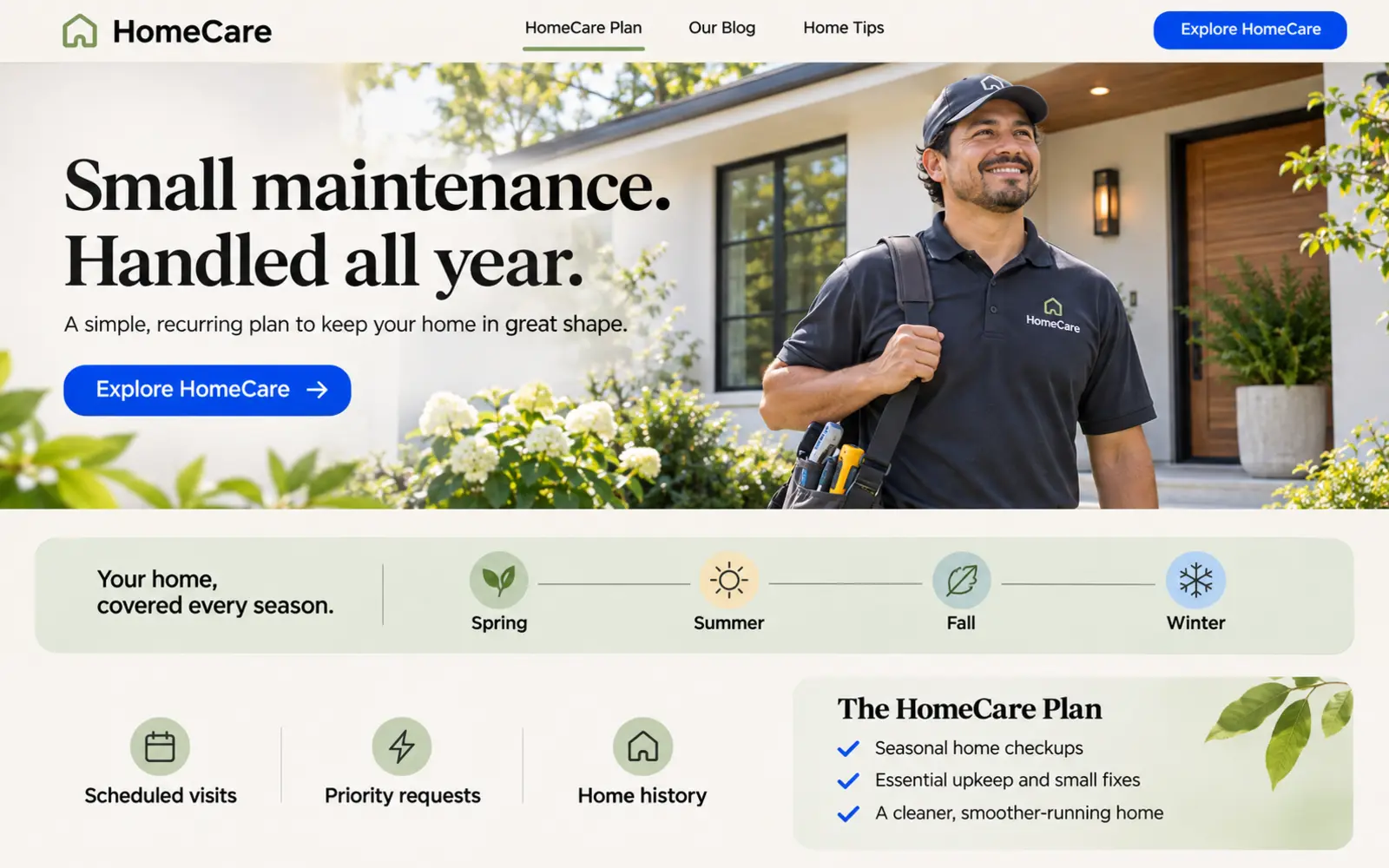
A recurring plan can help homeowners stay ahead of small repairs and give the company more predictable relationships. This concept uses a simple seasonal calendar, a short checklist of common maintenance tasks, visit frequency, and one clear enrollment action. The benefits are easy to compare without several dense pricing tables.
Explain exactly what the plan includes: scheduled walkthroughs, a defined amount of service time, priority request handling, documentation, or member pricing when offered. State which materials, specialty trades, emergency work, and larger projects are outside the plan.
The plan should feel like preventive care, not a vague subscription. A customer portal can support upcoming visits, open requests, estimates, appointment history, invoices, and property notes when those tools are part of the real service.
6. Create a dedicated path for rental and commercial property support
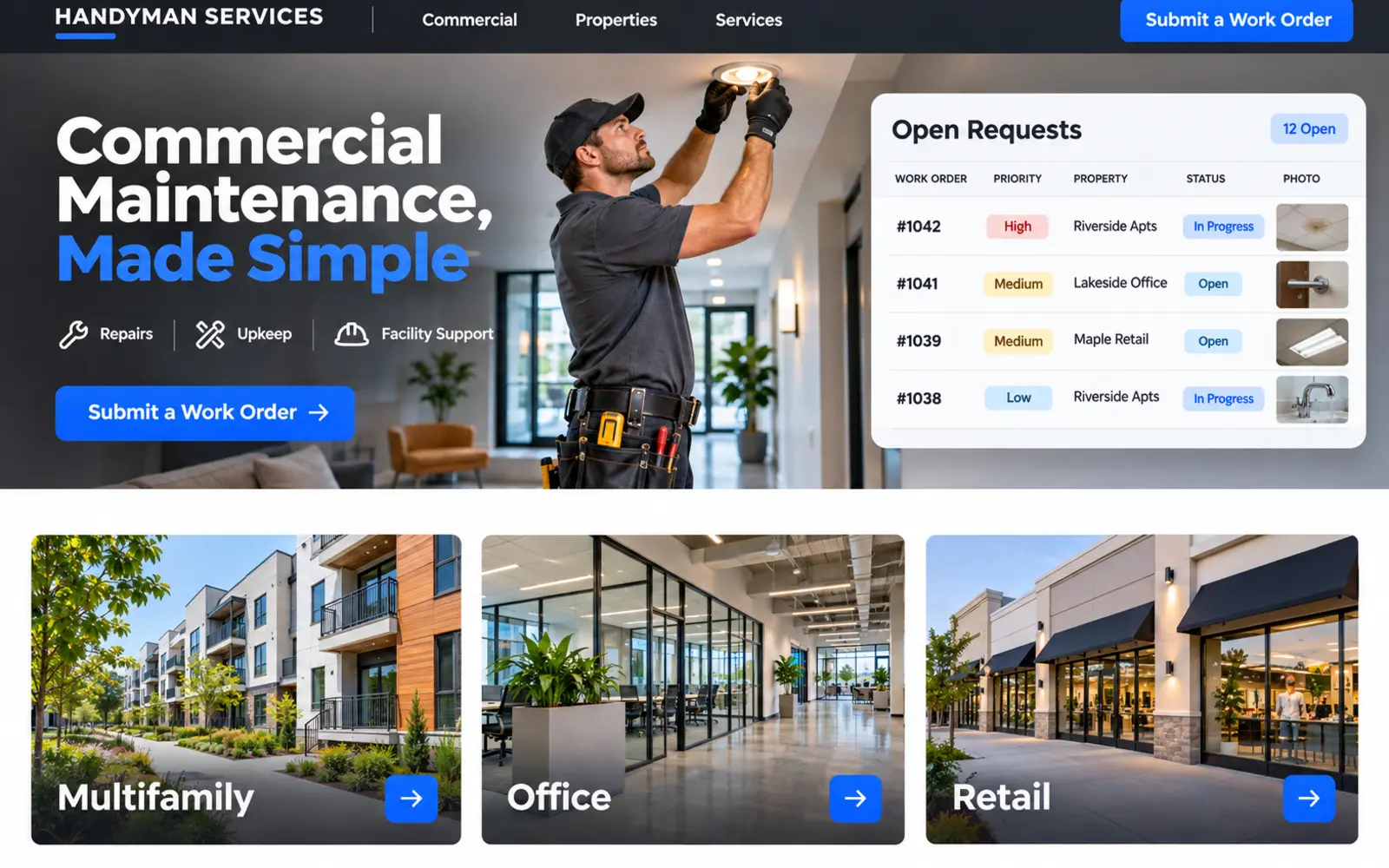
Landlords, property managers, real estate professionals, and small commercial teams have different priorities from one-time residential customers. This concept presents turnover work, punch lists, recurring property maintenance, inspection follow-up, and multi-location support in a separate, professional experience.
Useful information includes property types, service territory, request routing, access procedures, documentation, invoicing, after-hours policies, and the process for approving additional work. If a client portal is offered, show how authorized users can view requests, quotes, appointments, photos, and invoices.
Do not overstate scale or response time. Publish accurate service levels, geographic coverage, and capabilities, then use a qualified property-support form to collect the portfolio size, locations, task categories, access needs, and desired working relationship.
7. Turn before-and-after images into compact project case studies
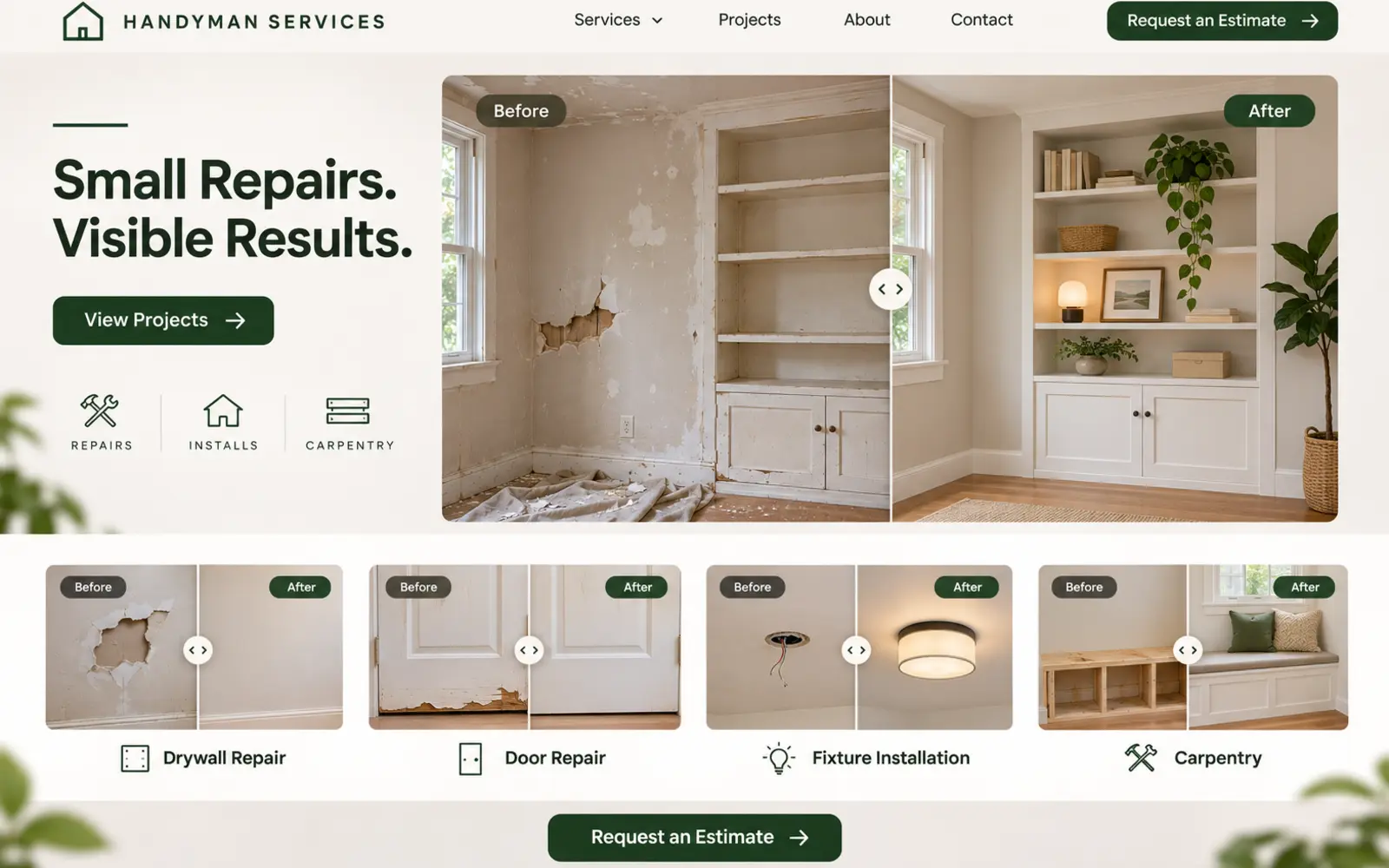
Before-and-after photos are useful when they explain more than a visual change. This concept pairs each project with the original need, services completed, important constraints, and finished result. The layout remains image-forward while giving the customer enough context to recognize relevant experience.
Filters can organize projects by room, service, property type, or project size. Examples might include drywall repair and paint preparation, door adjustments, trim replacement, fixture installation, rental turnover punch lists, accessibility improvements, or commercial maintenance—only when they reflect work the company actually performs.
Use authentic completed work for portfolio proof and obtain permission before sharing identifiable properties or customer information. Compress large images, use descriptive alternative text, and keep comparison tools simple enough to work well on mobile.
8. Make the team and trust signals easy to verify
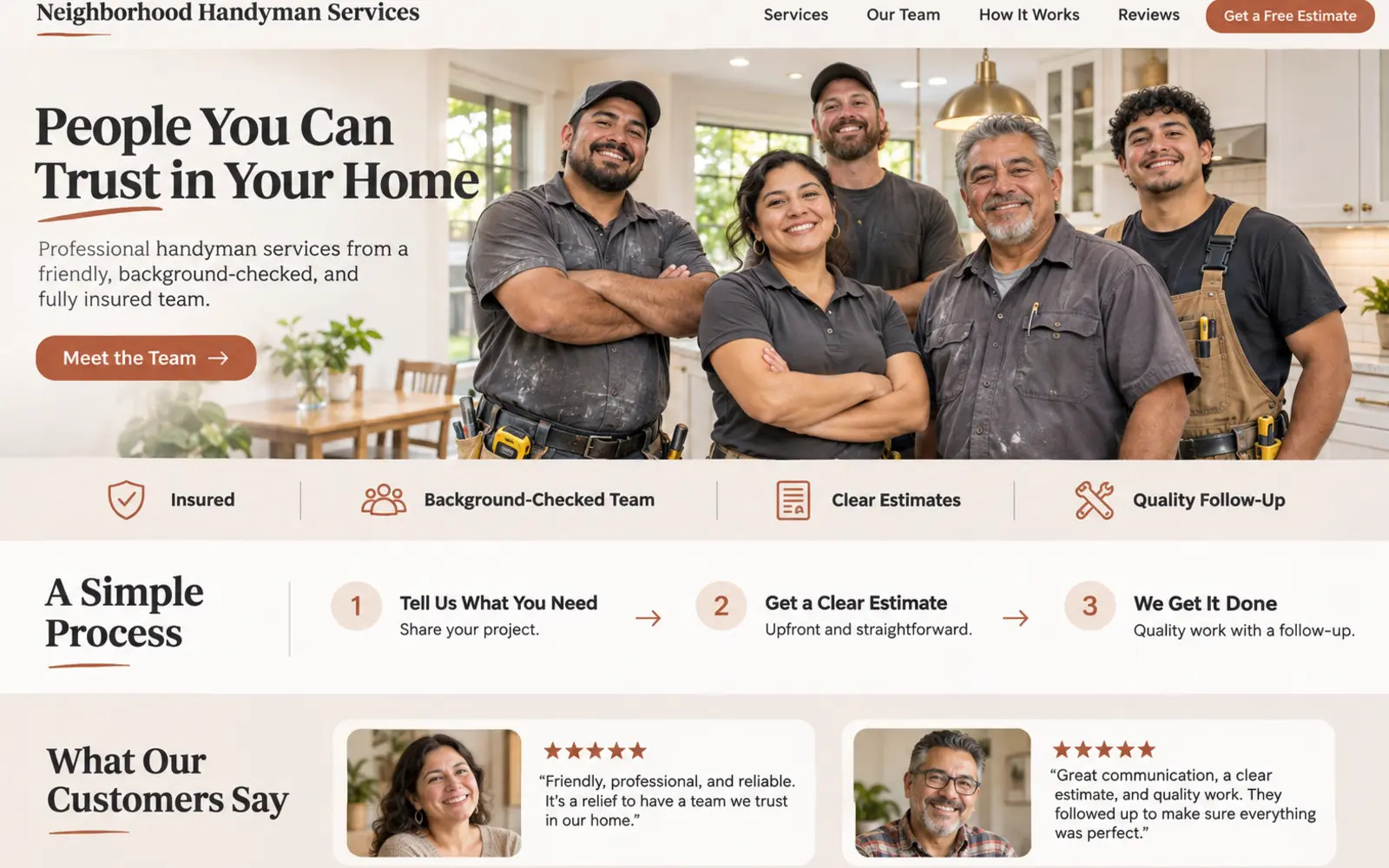
Customers are inviting someone into a home or workplace, so trust cannot be buried near the bottom of the site. This concept introduces the team with current photography, roles, experience, communication expectations, and the steps used before, during, and after a visit.
Place recent reviews beside the relevant services and locations rather than relying on one generic testimonial slider. Link to an independent review profile when appropriate, and describe screening, insurance, licenses, warranties, or guarantees only when the information is current and verifiable.
A concise FAQ can address arrival windows, estimates, materials, minimum service calls, occupied properties, pets, access, payment, and cleanup. Clear answers reduce hesitation and help customers arrive at the request form with realistic expectations.
9. Build useful local service-area pages
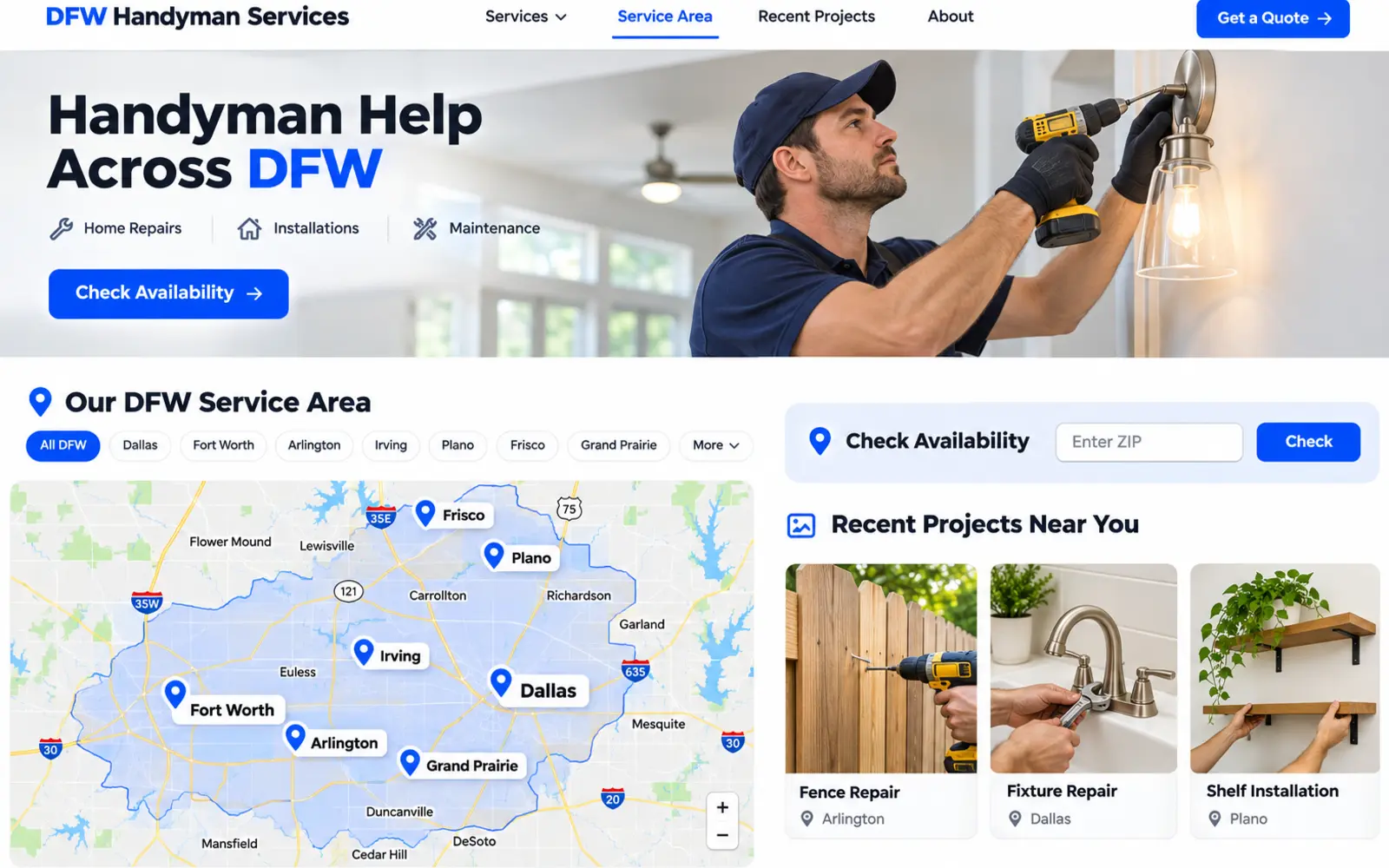
A useful local page does more than insert a city name into generic copy. This concept combines a Dallas–Fort Worth service map with the services available in that market, nearby completed work, current reviews, scheduling expectations, and a request form routed to the correct team.
City pages can address relevant property types, common repair needs, travel policies, access considerations, and service availability when the information is genuinely different. Connect each market to authentic proof and avoid publishing dozens of nearly identical pages.
Make the core service area clear and separate it from project-based travel. Accurate location data, consistent business information, local reviews, fast pages, and focused service content support search visibility while creating a better customer experience.
10. Create a complete bilingual service journey
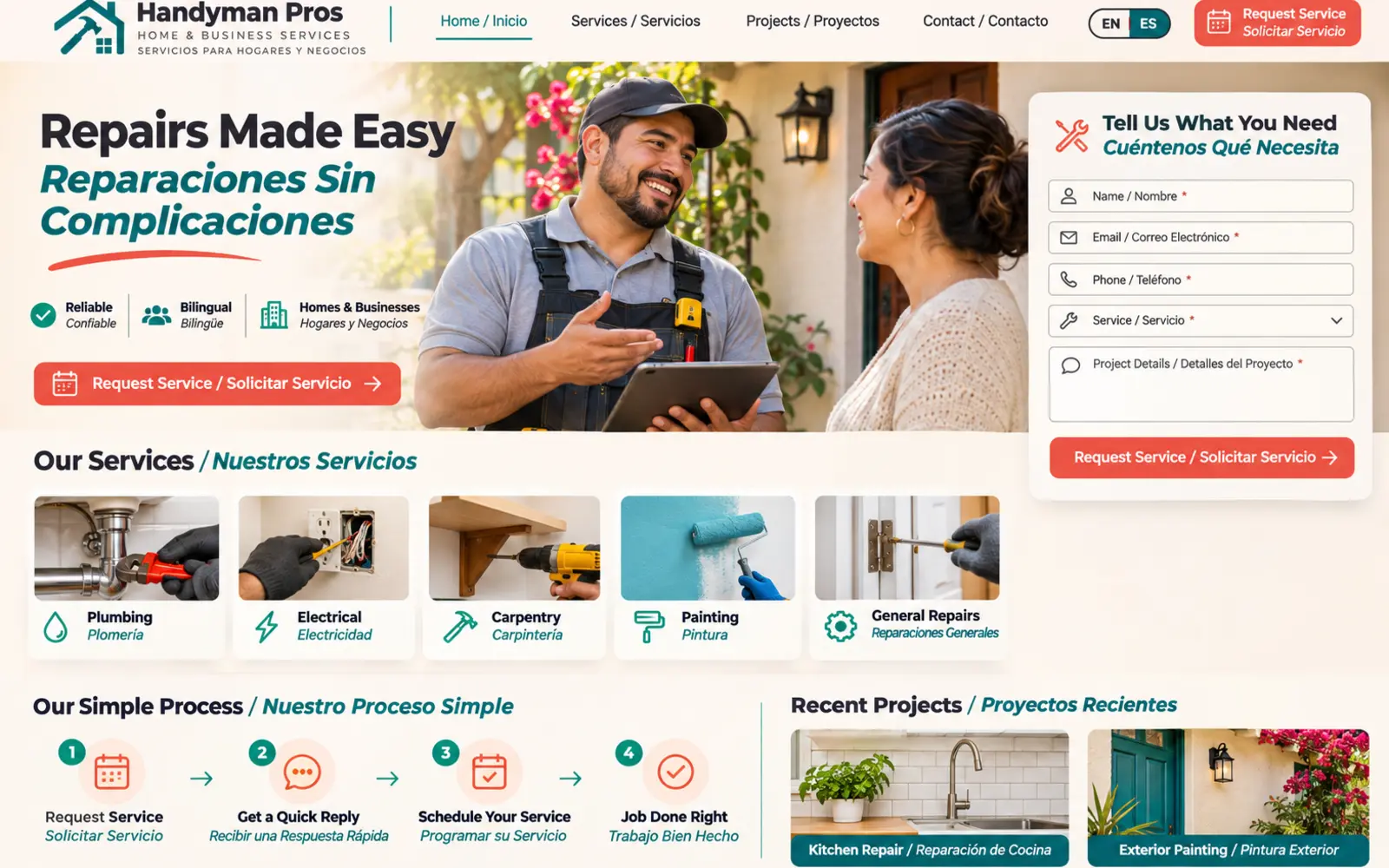
A language toggle creates value only when the entire experience supports it. This concept gives English- and Spanish-speaking customers equal access to service categories, photo-upload instructions, scheduling requests, validation messages, confirmations, estimates, appointment details, and follow-up expectations.
Professional translation should account for regional language and common repair terminology while remaining easy for customers to understand. Automated messages, portal labels, payment instructions, maintenance-plan details, and FAQs should remain consistent with the selected language.
The operating team must be able to respond accurately in the customer’s preferred language. Hispanos Marketing treats bilingual communication as part of a complete multicultural customer experience rather than a decorative website feature.
Handyman website design checklist
- The homepage explains the core work, service area, trust signals, and next step within the first screen.
- Services are organized by understandable tasks, rooms, or property types.
- Each important service has a focused page with scope, proof, FAQs, and a request action.
- The repair request collects useful details and optional photos without becoming a long technical form.
- Scheduling language distinguishes a preferred window from a confirmed appointment.
- Maintenance plans explain included visits, time, tasks, materials, exclusions, and support clearly.
- Landlords and commercial clients can find property support, request routing, documentation, and invoicing information.
- Before-and-after projects include the need, work completed, and result.
- Team profiles, reviews, insurance, credentials, and warranties are current and verifiable.
- Service-area pages provide useful local information and authentic nearby proof.
- The website is fast, accessible, and easy to use on a phone.
- Forms, calls, appointments, estimates, and qualified lead sources are measured.
If the initial cost and ongoing upkeep of a traditional site are barriers, explore our managed website plans. They combine a professional website framework with hosting, routine maintenance, and technical support in one monthly plan.
Frequently asked questions about handyman website design
What should a handyman website include?
A handyman website should clearly present services, service area, project examples, team and trust information, reviews, FAQs, request options, scheduling expectations, and contact information. Depending on the business, it may also need maintenance plans, property-management support, customer portal access, financing information, or bilingual content.
How can a handyman website generate more qualified leads?
Help visitors identify the right service, confirm their location, see relevant proof, and submit useful task details and photos. Focused service pages, local search visibility, realistic scheduling, clear exclusions, reliable tracking, and prompt follow-up work together to improve lead quality.
Should a handyman website show prices?
Pricing guidance can help when the service model supports it. A company may publish minimum service calls, common task pricing, hourly structures, or starting ranges with clear assumptions. Final cost can still depend on visible and hidden conditions, materials, access, travel, code requirements, and the complete scope.
Should customers be able to book handyman services online?
Online booking works best for well-defined tasks with predictable duration. For uncertain repairs or multi-item projects, let customers request preferred windows and confirm the appointment after review. The website should never imply guaranteed availability before the company understands the work.
How should handyman services be organized on a website?
Organize services around the language customers use. Task-based categories such as drywall, carpentry, mounting, doors, fixtures, and repairs are direct. Room-based categories such as kitchen, bathroom, living space, exterior, rental turnover, and commercial property can make broader service lists easier to explore.
How often should a handyman website be updated?
Add recent projects, reviews, team changes, service updates, service areas, seasonal guidance, and maintenance-plan information as they become available. Review forms, tracking, integrations, page speed, accessibility, security, and mobile usability routinely.
Build a handyman website around the service decision
The best handyman website is not the one with the longest list of tasks. It is the one that helps the right customer recognize a service, verify local trust, share useful project information, and move into a realistic scheduling conversation with confidence.
Hispanos Marketing designs conversion-focused websites for handyman companies, contractors, and professional service businesses in Dallas–Fort Worth and nationwide. Explore our remodeling website examples, construction company website examples, home builder website examples, painting company website examples, and deck and patio website examples, or review our website design service.
Book a call with Hispanos Marketing to plan a modern handyman website built to turn service searches into qualified requests and booked jobs.